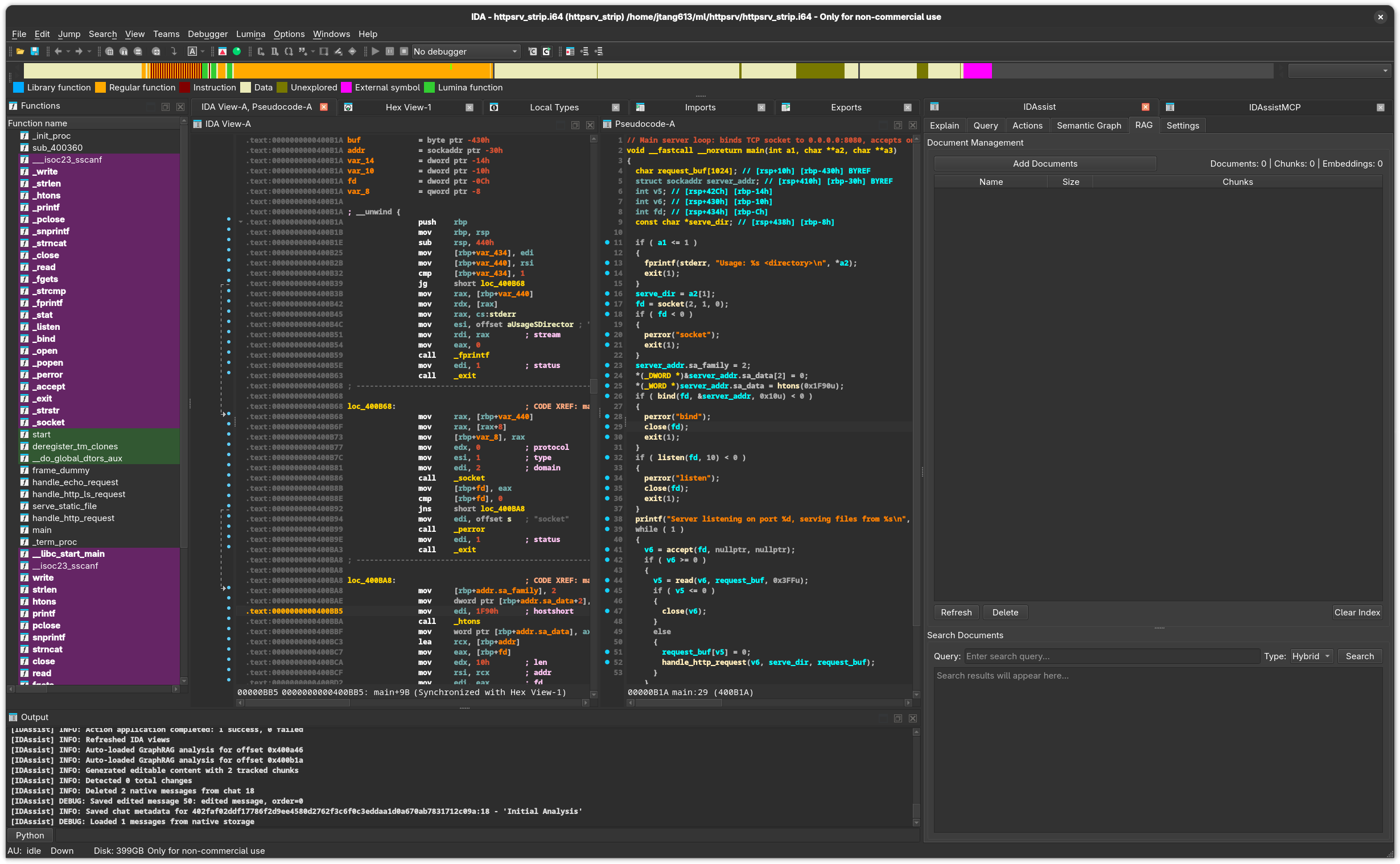
The RAG (Retrieval-Augmented Generation) tab lets you upload reference documents and use them as additional context during LLM queries and explanations. When RAG is enabled on the Explain or Query tabs, relevant document snippets are automatically injected into the LLM prompt.
UI Elements
Document Management Section
Element
Description
Add Documents button
Opens a file picker to select documents for indexing.
Docs / Chunks counter
Shows the number of indexed documents and total text chunks.
Documents Table
Lists all indexed documents with name, size, and chunk count.
Refresh button
Reload the index from disk.
Delete button
Remove selected documents from the index.
Clear Index button
Delete the entire RAG index.
Documents Table
Column
Description
Name
Document filename.
Size
File size.
Chunks
Number of text chunks the document was split into.
Search Section
Element
Description
Query input
Enter a search query to find relevant document snippets.
Type dropdown
Search method: Hybrid (default), Text, or Vector.
Search button
Execute the search and display results below.
Results area
Displays matching document snippets with relevance scores.
Supported Document Types
Extension
Type
.txt
Plain text
.md
Markdown
.rst
reStructuredText
.pdf
PDF documents
Search Types
Type
Method
Best For
Hybrid
Combined text + vector search
General use (default)
Text
Keyword matching via Whoosh
Exact terms, API names, error codes
Vector
Embedding similarity
Conceptual queries, “functions that do X”
How RAG Integration Works
Upload documents relevant to your analysis (API docs, protocol specs, vulnerability reports, etc.)
Documents are chunked and indexed in the Whoosh search engine
Enable RAG on the Explain or Query tab by checking the RAG checkbox
When you submit a query or generate an explanation, IDAssist automatically:
Searches the RAG index for relevant snippets
Includes the top matching chunks in the LLM prompt
The LLM uses this additional context to produce more informed responses
Storage
The RAG index is stored at ~/.idapro/idassist/rag_index/ as a Whoosh search index directory. The index persists across IDA sessions. Clearing the index removes all indexed data but does not delete the original document files.
Related Documentation
Explain Tab — Enable RAG for enriched function explanations