On this page
Semantic Graph Tab Reference
The Semantic Graph tab builds and explores a knowledge graph of your binary, capturing function relationships, security properties, and semantic information.
Purpose
The Semantic Graph tab creates a rich, queryable knowledge base of your binary that:
- Maps function call relationships
- Stores LLM-generated function summaries
- Detects security-relevant patterns
- Groups related functions into communities
- Enables security-focused taint analysis
This graph can be queried directly through the UI or used to enhance LLM responses in other tabs.
Sub-Tabs
The Semantic Graph tab contains four sub-tabs:
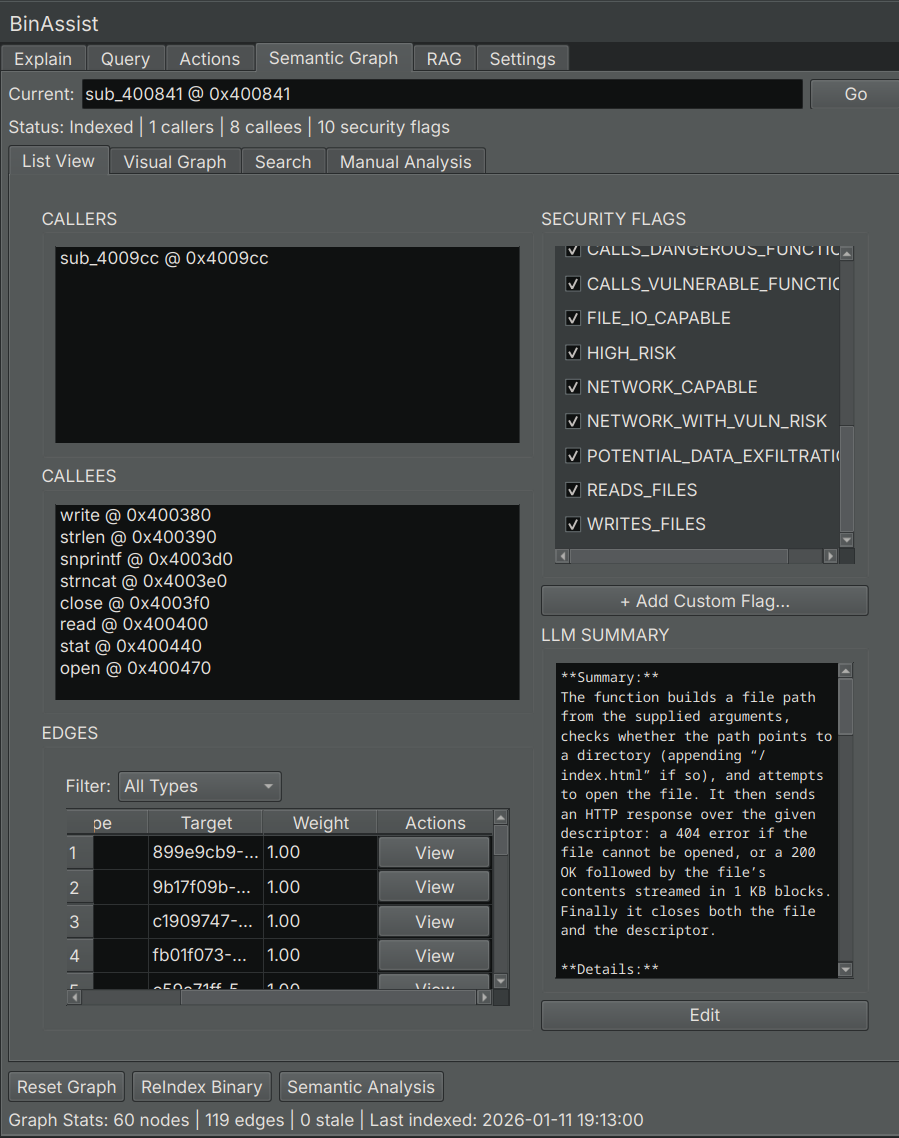
List View
Displays all indexed functions in a searchable table.
| Column | Description |
|---|---|
| Address | Function start address |
| Name | Function name (or generated symbol) |
| Summary | LLM-generated description of function purpose |
| Flags | Security flags (network, file I/O, crypto, etc.) |
| Community | Detected function group/module |
Click a row to: - View the function’s callers and callees - Navigate to the function in Binary Ninja
Visual Graph
Interactive visualization of function relationships.
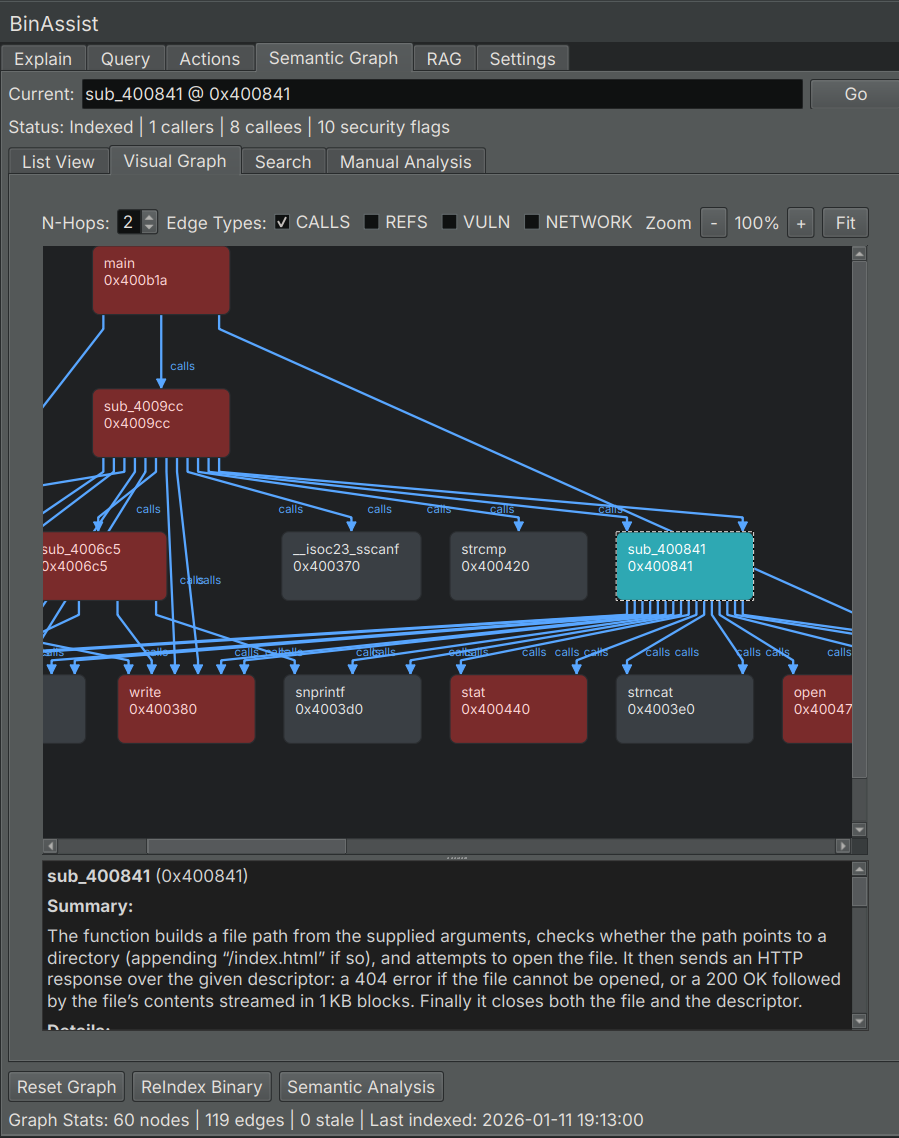
- Nodes: Functions, sized by importance
- Edges: Call relationships
- Colors: Community membership or security flags
Navigation: - Pan: Click and drag - Zoom: Scroll wheel - Select: Click a node to view details
Search
Full-text search across function names and summaries.
Enter keywords to find functions by: - Function name - Summary content - Security-related terms
Results show matching functions with relevant excerpts highlighted.
Manual Analysis
Controls for running individual analysis pipelines.
Analysis Buttons
The Manual Analysis panel provides buttons to run specific analysis types:
| Button | Description |
|---|---|
| ReIndex Binary | Extract all functions and build call graph |
| Semantic Analysis | Generate LLM summaries for all functions |
| Security Analysis | Run taint analysis for vulnerability detection |
| Community Detection | Group related functions using Label Propagation |
| Clear Graph | Delete the semantic graph and start fresh |
ReIndex Binary
Extracts function information and builds the call relationship graph:
- Function addresses, names, and sizes
- Direct call relationships (CALLS edges)
- Import and export identification
This is the foundation for all other analyses.
Semantic Analysis
Uses the LLM to analyze each function and generate:
- Purpose summary
- Activity profile (what the function does)
- Security flags (network, file I/O, crypto, etc.)
- Risk assessment
This runs on all functions that don’t already have summaries.
Security Analysis
Performs taint analysis to find potential vulnerabilities:
- Identifies source functions (user input, network receive, file read)
- Identifies sink functions (dangerous operations like strcpy, sprintf)
- Traces data flow paths from sources to sinks
- Creates TAINT_FLOWS_TO and VULNERABLE_VIA edges
Discovered paths are stored in the graph for later review.
Community Detection
Groups related functions using the Label Propagation algorithm:
- Analyzes call relationships
- Identifies clusters of related functions
- Labels communities by common purpose (e.g., “Network I/O”, “Crypto”, “File Operations”)
Communities help you understand the binary’s modular structure.
Graph Statistics
The bottom of the tab displays current graph statistics:
| Statistic | Description |
|---|---|
| Functions | Number of indexed functions |
| Edges | Number of relationships (calls, taint flows) |
| Communities | Number of detected function groups |
Using the Graph
With LLM Queries
When MCP is enabled in the Query tab, the LLM can query the semantic graph to:
- Find functions by purpose
- Trace call chains
- Identify security-relevant functions
- Explore community relationships
For Manual Analysis
Use the List View and Search to: - Find functions matching criteria - Review security flags - Understand function purposes - Navigate the binary systematically
Related Documentation
- Semantic Graph Workflow - Step-by-step guide to building and using the graph
- Query Tab - Using the graph with MCP queries