On this page
Actions Tab Reference
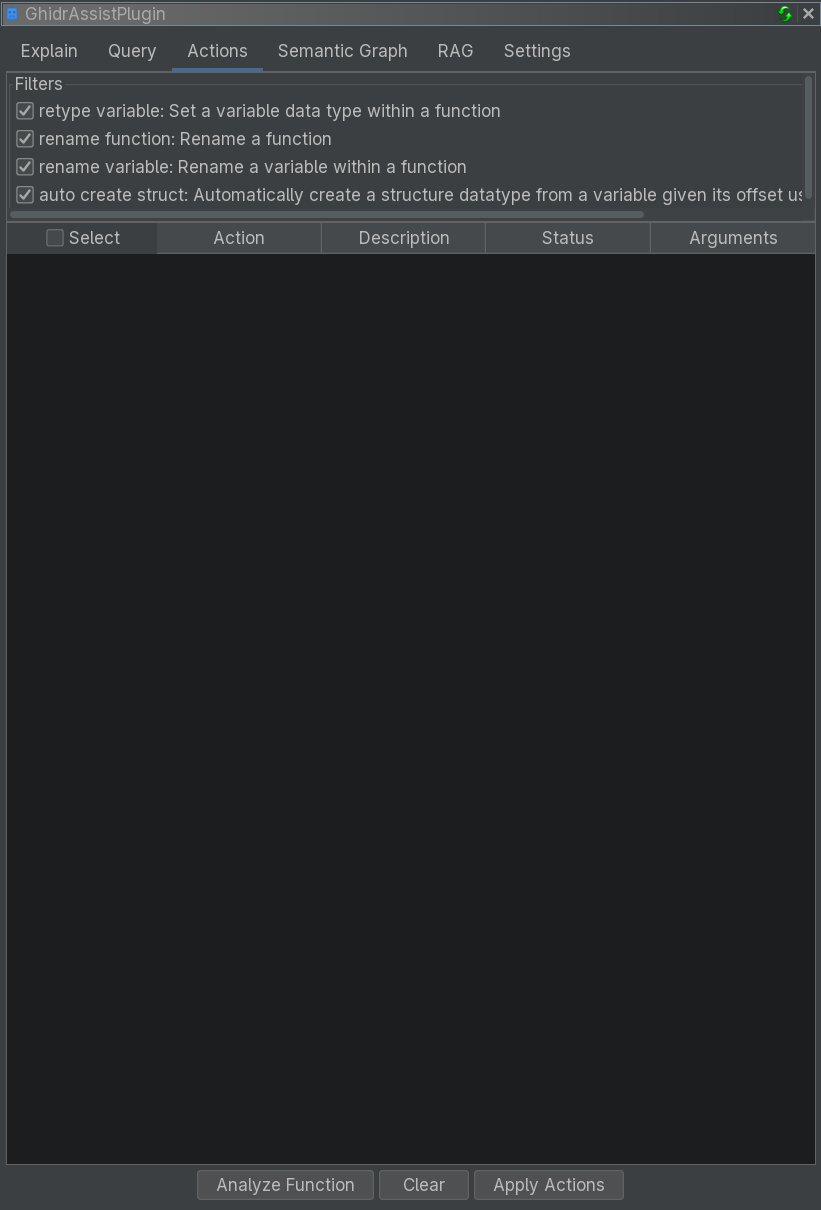
The Actions tab provides LLM-powered suggestions for improving analysis, such as renaming functions, variables, retyping, and struct creation.
Purpose
The Actions tab automates common reverse engineering cleanup tasks:
- Suggest meaningful function names
- Propose descriptive variable names
- Recommend better data types
- Generate structure definitions from access patterns
Each suggestion includes structured arguments and can be applied directly.
Action Types
Rename Function
Suggests a semantic name for the current function based on behavior.
Rename Variable
Suggests clearer variable names based on usage patterns.
Retype Variable
Proposes more accurate data types based on usage.
Auto Create Struct
Generates structure definitions from offset access patterns.
UI Elements
Action Selection
Checkboxes let you choose which action types to analyze. All are enabled by default.
Buttons
| Button | Description |
|---|---|
| Analyze Function | Generate suggestions for selected action types |
| Clear | Clear the results table |
| Apply Actions | Apply checked suggestions |
Results Table
| Column | Description |
|---|---|
| Select | Checkbox to apply action |
| Action | Action type |
| Description | Human-readable summary |
| Status | Pending / Success / Failed |
| Arguments | Structured parameters for the action |
Select All Header
The Select column header includes a checkbox to toggle all rows.
Workflow
- Navigate to a function in Ghidra
- Open Actions tab
- Select action types
- Click Analyze Function
- Review suggestions
- Check the ones to apply
- Click Apply Actions
Tips
- Review suggestions before applying
- Use Explain or Query tabs to understand functions first
- Apply changes incrementally